Program Menu Reference
Gen-16 DCP Access Tool Menu:
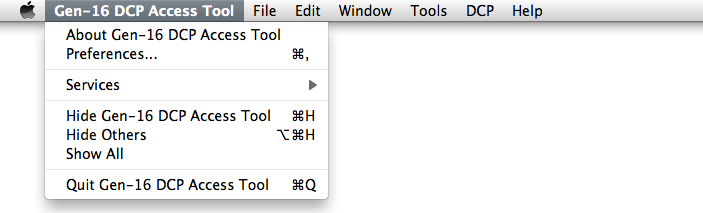
In the Gen-16 DCP Access Tool Menu you can select "About" for program version information, or "Preferences" to open the Preferences window.
File Menu:
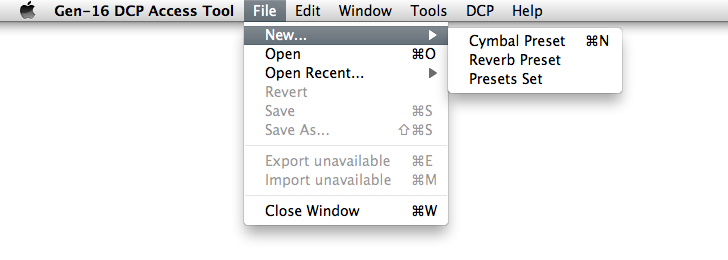
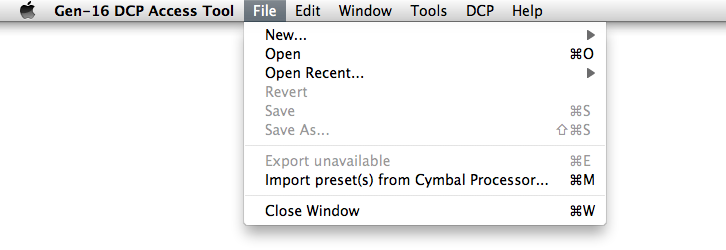
The File menu has selections for creating new preset files, for opening, saving, and reverting to disk files, and for importing and exporting preset files from and to a DCP.
File->New
Opens a new blank editor window for the preset type selected.
File->Open
Use File->Open to open supported files from disk.
File->Open Recent
Open Recent displays a list of recently-opened files.
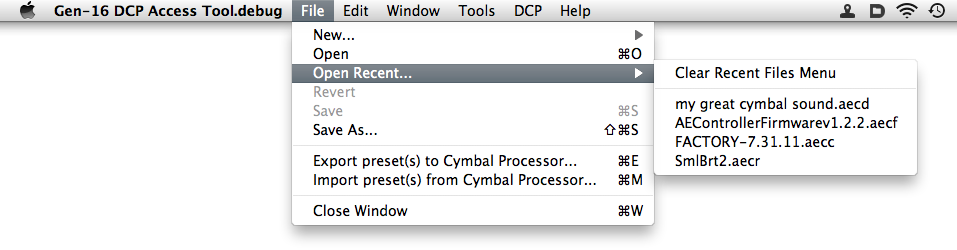
File->Revert
If you've made changes in an editor window but haven't saved them yet, you can revert to the most-recently saved version by choosing Revert from the File menu.
File->Export Preset(s) to Cymbal Processor
Choose this selection to export the contents of the frontmost editor window to your DCP. If no DCP is detected or if the frontmost window is not an export-able editor window, this menu item will read "Export unavailable" and will be disabled.
File->Import Preset(s) from Cymbal Processor
Choose this selection to import a preset or presets from your DCP into an editor window for editing or saving to disk. If no DCP is detected this menu item will read "Import unavailable" and will be disabled.
Window Menu:
The Window menu shows all windows currently open in the application and allows you to go directly to any of them.

Tools Menu:
The Tools menu allows you to open a Virtual Front Panel window or a Firmware Upgrade window.

DCP Menu:
If a DCP is connected, the DCP menu appears like this, allowing you to open a DCP Info window:

If no DCP is connected the DCP menu appears like this. Try disconnecting and re-connecting the USB cable if this happens in error.

Help Menu:
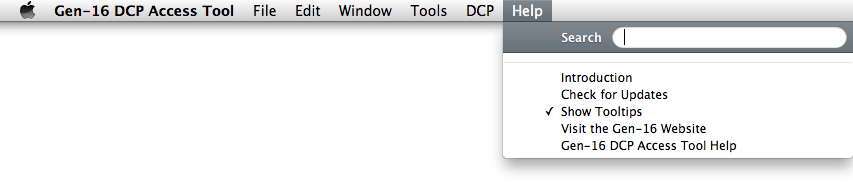
The Help menu offers selections for displaying this online help file, for displaying the Introduction window, for manually checking for updates to the DCP Access Tool and the DCP firmware, for opening the Gen-16 website home page in your default browser, and for controlling display of some tooltips: