The Firmware Upgrade Window
The Firmware Upgrade window opens whenever a firmware upgrade file (a Gen-16 file with a ".aecf" extension) is opened. Upgrade files can be opened automatically after being downloaded by the automatic update-checking feature, via the File menu (File > Open or File > Open recent), by double clicking the file on your desktop, or by dragging the file to the DCP Access Tool's icon in the Dock (Macintosh).
For a detailed description of the upgrade procedure click here.
You can also open the Firmware Upgrade window directly without an upgrader file and then load an upgrader file by clicking on the "Load File" button.
Although it's called the Firmware Upgrade window, DCP firmware can also be downgraded to earlier firmware with it as well.
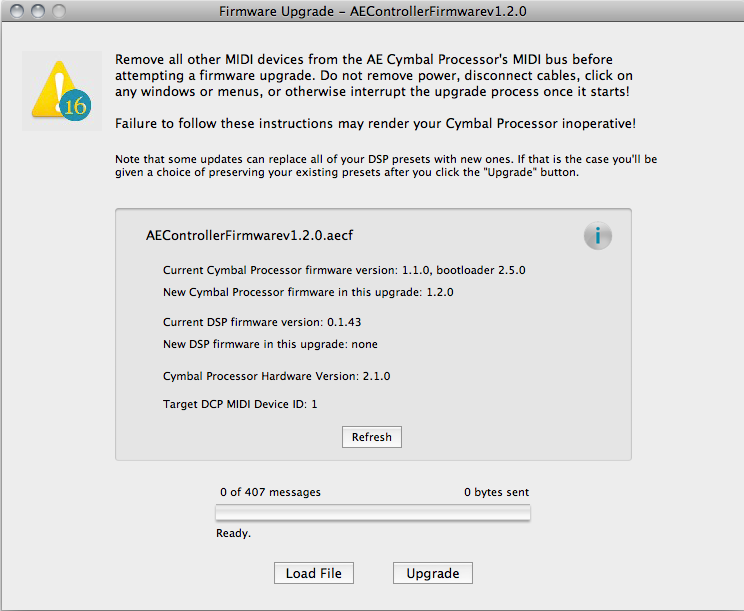
Regardless of the method of opening, the Firmware Upgrade window looks like this once it is opened and a file is loaded:
And here it is again with explanations of all the controls and displays:
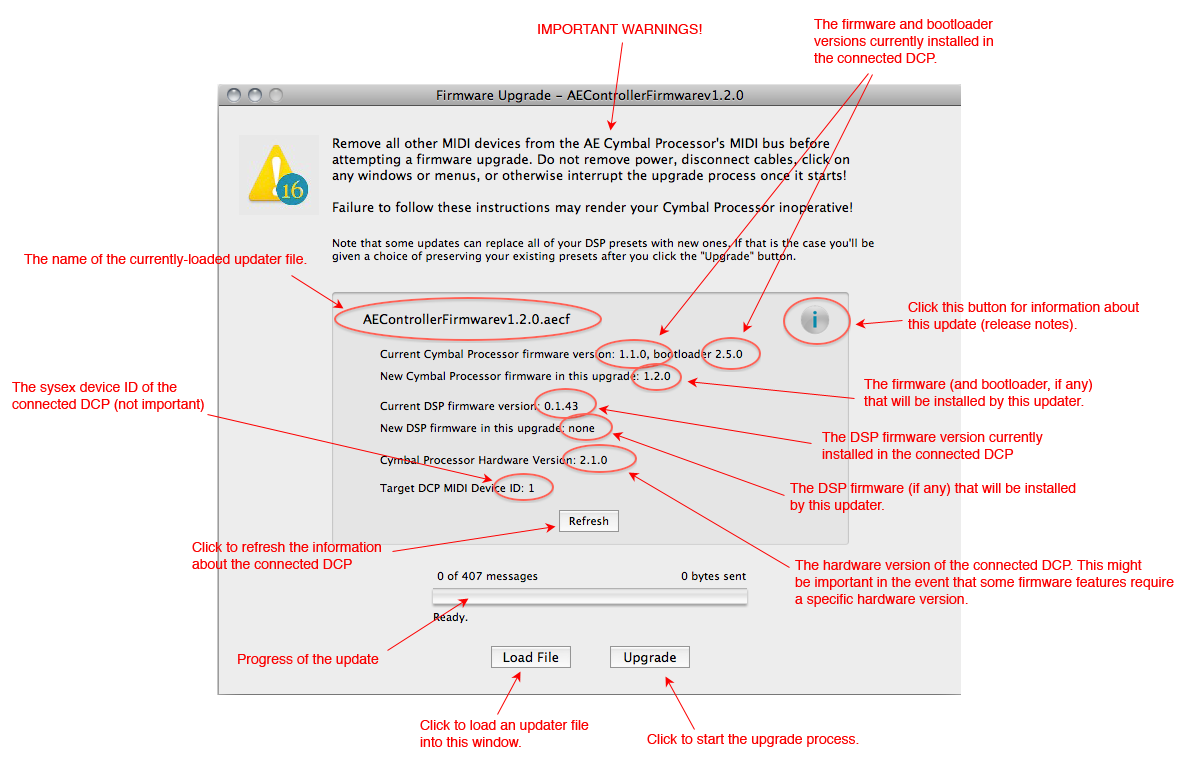
For more information about the various firmware components in the DCP, click here.
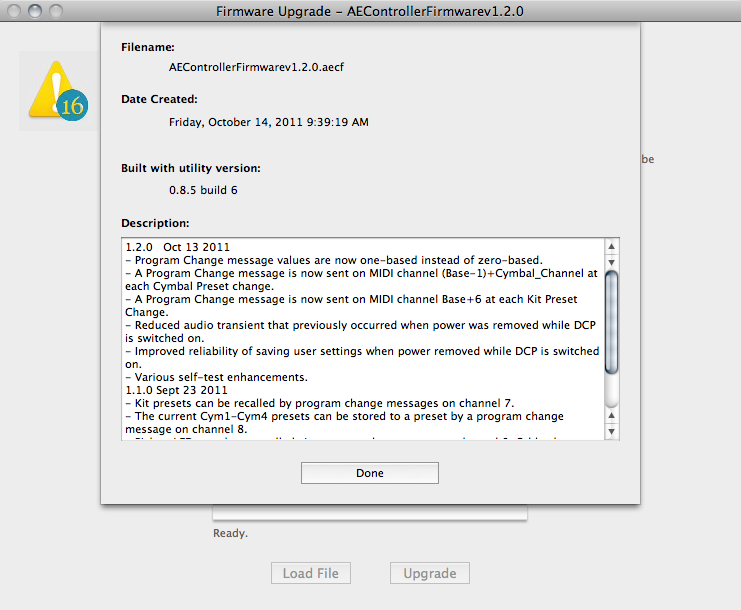
Here is an image of a typical Firmware Upgrade window whose information ("i") button has been clicked to reveal the upgrade's release notes and additional information about the upgrade file:
See also: Upgrading Your DCP's Firmware